




















Player guide
Inside Cozy Hamlet Builder
Explore the objective, key challenges, screenshots, and practical tips before your next run.
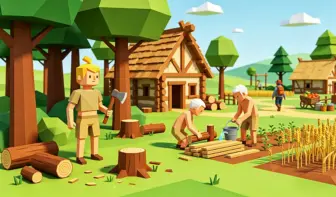
Cozy Hamlet Builder is a free village management game you can play here in your browser. Gather wood and other resources to build a small medieval settlement.
How do you play Cozy Hamlet Builder?
Gather wood and other resources to build a small medieval settlement. Start with the opening objective and use the game’s own prompts as you progress. A new stage may introduce a tool or rule that changes the next move.
Controls
Move with WASD, the arrow keys or a held mouse input on a computer. Use the touch movement control on a phone.
A useful starting tip
Build the production you need for the next structure before expanding in several directions.
Test the basic input once before attempting a faster run. If an attempt goes wrong, change one decision on the next try so you can tell what helped.
Game details
- Game playing
- Cozy Hamlet Builder
- Developer listing
- Volan Interactive
- Format
- Browser game
- Page updated
- 25 November 2026
Playing help
Why does this page play a different game?
The previous Cozy idle village player has been replaced. The game now embedded here is Cozy Hamlet Builder; its modes, controls and progress system can differ from the earlier version.
What if the player does not start?
Let the initial files finish loading, then click inside the player. If it remains stuck, use the page’s reload-game control once. Browser restrictions, connection problems or a provider outage can interrupt a game.
Will my old progress transfer?
A replacement game can use a separate save system. Check the current game’s account and save options before assuming progress from the previous player is available.